
Introducing Tesla’s New Automations Feature: Revolutionizing Your Tesla with Customizable Actions
Tesla owners have long relied on third-party APIs and integrations to customize their vehicle’s behaviors. While Tesla has added some automations in the past, such as Cabin Overheat Protection, they are now empowering users to create their own automations.
The new Automations app serves as a logic engine, allowing users to easily create behaviors using the familiar “If This, Then That” logic.
While we previously discussed the release notes for this feature, we now have a closer look at how it works and the range of events and actions available.
Exploring Automations
Based on a preview from a source familiar with the software in China, the user interface features a grid layout, with each automation displayed as a card that can be toggled on or off.
Tesla includes several default automations to showcase the possibilities, but users can delve into a vast array of events and actions to create their own unique automations.
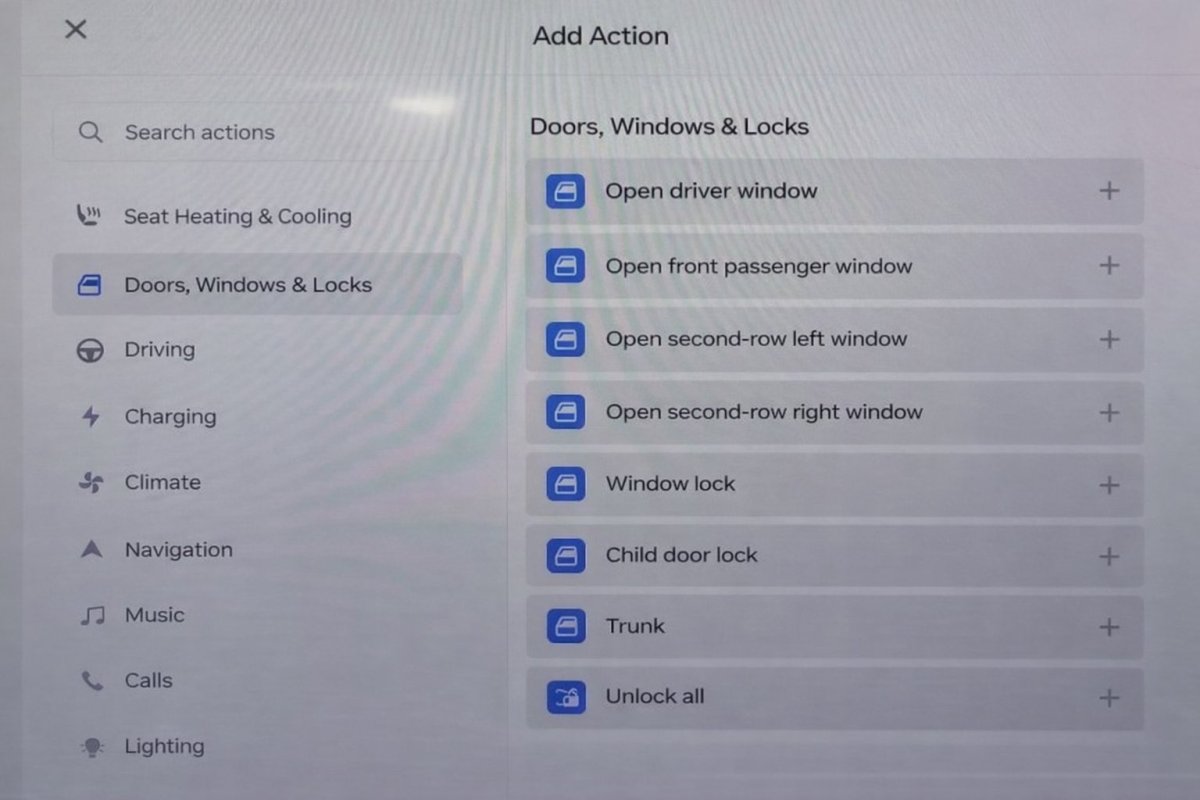
When setting up a new automation, Tesla organizes triggers and actions into categories, making it easy to select and customize behaviors. Categories include seat heating/cooling, doors/windows, charging HVAC, media controls, and more.
Setting Conditions (Triggers)
The app allows users to trigger automations based on a wide range of vehicle states and environmental factors.
Vehicle triggers include gear changes, speed thresholds, seat occupancy status, and seat belt status. Environmental triggers encompass factors like time of day, outdoor light levels, cabin temperature, outdoor temperature, and Air Quality Index (AQI).
Users can even create custom voice commands as triggers, opening up exciting possibilities for feature development.
Executing Actions
Once a condition is met, the car can perform specific hardware and software commands, such as adjusting temperature settings, changing driving modes, or providing feedback through customizable text-to-speech.
Unlocking Desired Features
With the Automations app, users can automate tasks that were previously manual, like enabling Bioweapon Defence Mode based on outdoor AQI levels or adjusting driving modes based on speed.
Additionally, the app can provide helpful voice notifications, like announcing gear shifts or greeting the driver with a custom message.
Guardrails & Limitations
While the Automations app offers great flexibility, Tesla has implemented safety measures to prevent conflicts with Autopilot or FSD.
Users are limited to a predefined list of triggers and actions to ensure safety and prevent interference with driving dynamics.
Embracing User Feedback
With the Automations app, Tesla is empowering users to create personalized features and automate tasks that enhance their driving experience. This democratization of feature development allows for individual customization based on user preferences.
This feature will be launching in China soon, with plans for availability in other regions through a future software update.
Ordering a New Tesla?
Use our referral code and get 3 months free of FSD or $1,000 off your new Tesla.