
With the recent OTA software update version 2026.20, Tesla has introduced encryption to dashcam video clips, adding an extra layer of security and privacy to your vehicle’s private video footage. This new feature encrypts FSD, Sentry Mode, and incident-related video clips before saving them onto a USB flash drive. By enabling the dashcam clip encryption option in vehicle controls, users can protect their video clips from unauthorized access.
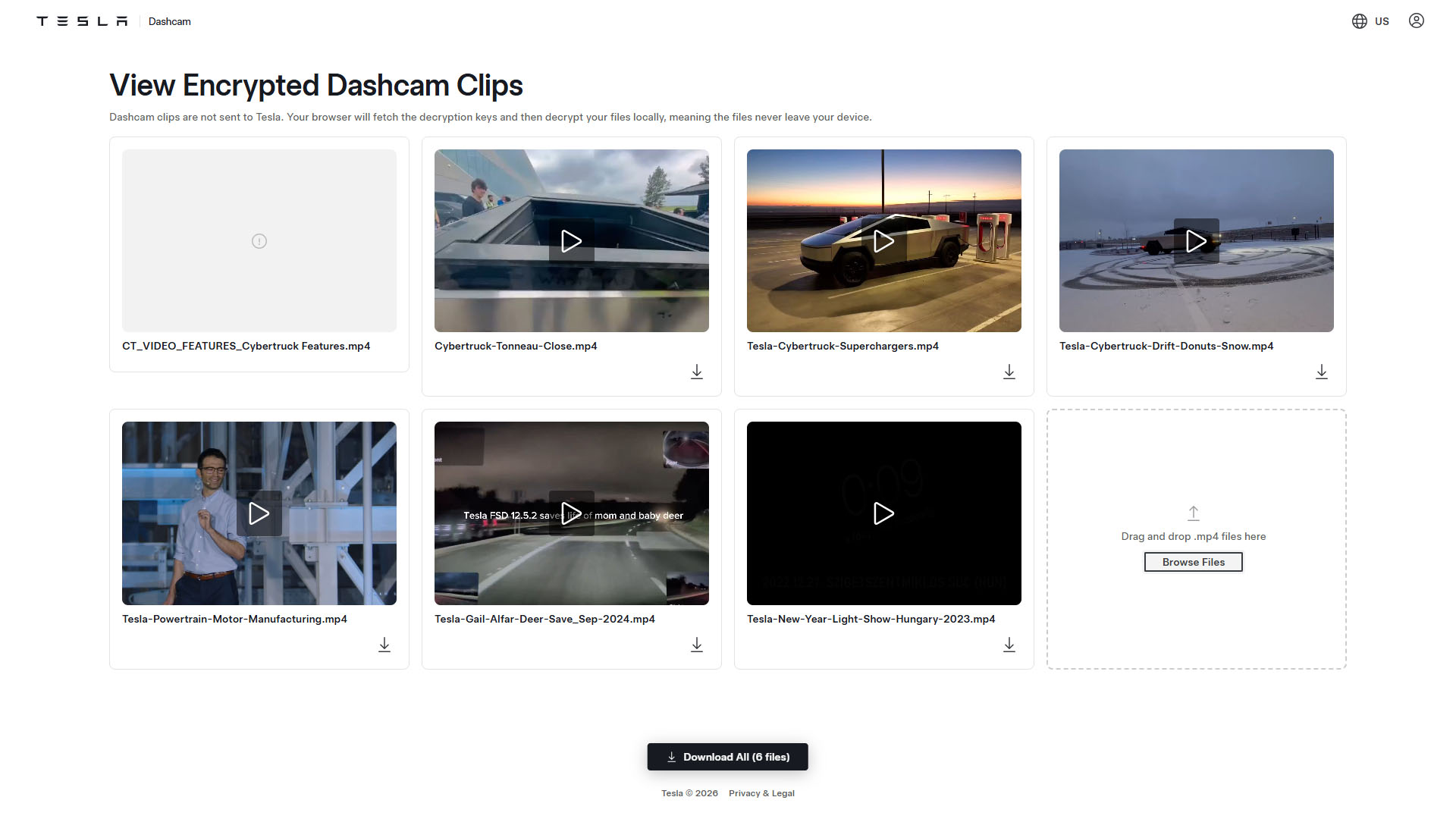
The encrypted video files can be decrypted using an online tool hosted on Tesla’s official website. By visiting dashcam.tesla.com and logging in with your Tesla Account credentials, you can upload encrypted video clips from your USB drive and remove the encryption. The decryption process is done locally in the user’s browser, ensuring that the video clips never leave the device.
The Tesla Dashcam Viewer online tool allows users to view and decrypt encrypted video clips in MP4 format. Users can choose to download individual clips or all clips at once after the encryption is removed. This tool provides convenience for Tesla owners to access and view their dashcam footage securely.
Furthermore, the decryption process is performed entirely on the user’s end, enhancing privacy and ensuring that the video clips are not sent to Tesla servers. This approach adds an additional layer of protection to safeguard the sensitive information contained in the dashcam footage, such as speed, steering wheel angle, and self-driving state.
In conclusion, Tesla’s introduction of encryption to dashcam video clips and the availability of the online decryption tool underscore the company’s commitment to enhancing user privacy and security. By empowering users to control access to their video footage and ensuring that decryption is done locally, Tesla continues to prioritize customer privacy in its technological advancements.