
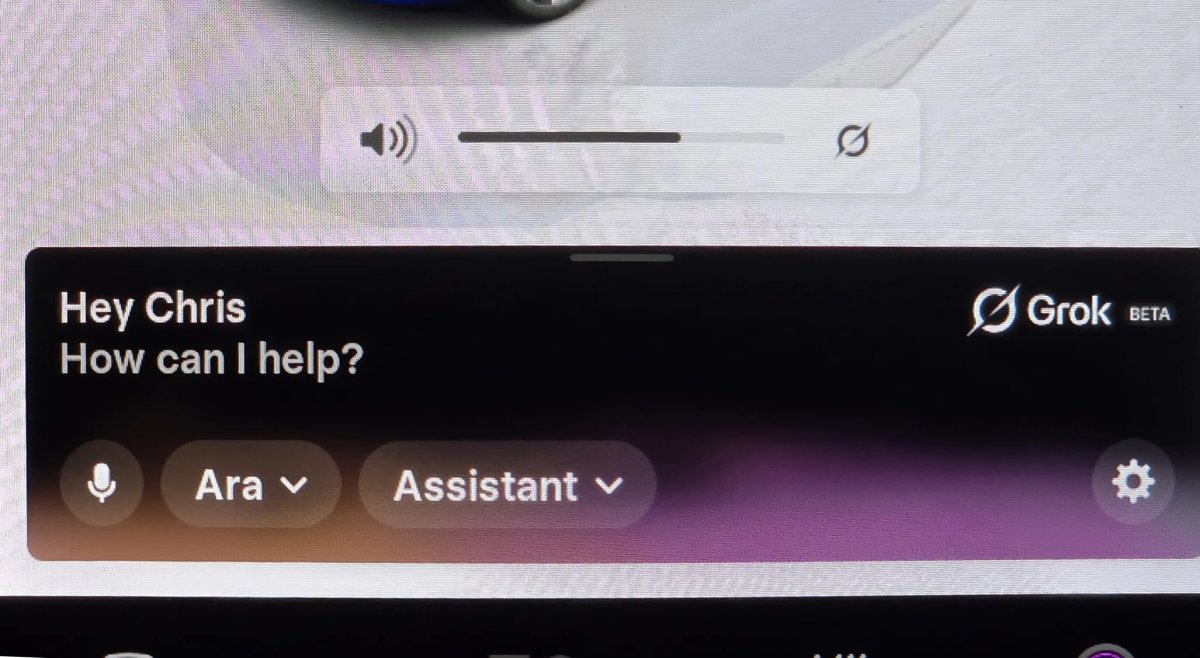
Top Tips for Maximizing Tesla’s Grok Feature
Tesla continues to enhance the interaction between humans and machines with XAI’s Grok, which is increasingly becoming a crucial component of the driving experience. For those who prefer conversing naturally instead of using rigid voice commands, Grok is the way to go.
Grok made its debut in North America last summer with software version 2025.26. Since then, Tesla has introduced Navigation Commands, a feature that allows Grok to handle trip details without being able to physically adjust controls like stalks or climate settings. The latest software update, 2026.2.6, is expanding Grok with Navigation Commands to Europe, providing more drivers with these innovative capabilities.
Furthermore, Tesla has been making improvements to Grok behind the scenes. Here are some of the best tips to make the most of Grok in your Tesla.
Enhanced Navigation Techniques
The standout feature of Grok is its contextual understanding. Instead of requiring specific phrases to be memorized, you can communicate with your car in a more natural way.
-
Conditional Routing: You can now give Grok complex instructions like, “Route to the airport via a Dunkin’ Donuts if it doesn’t add more than 15 minutes”. The AI can extract your intention from a casual sentence, eliminating the need for rigid commands that are prone to errors.
-
Route via Specific Roads: If you have a preferred route, simply say, “Route to work via [Road Name],” and the car will set that street as a waypoint.
-
Optimized Errands: You can plan your day efficiently by chaining multiple errands together in one command. For example, say “I need to go to Best Buy, CVS Pharmacy, Starbucks, and then back home. Navigate to these in the most efficient order.”
New “Turn Off” Commands
Tesla has recently introduced the ability to end a Grok session using voice commands. To conclude a conversation or clear the overlay, you can simply say phrases like “see ya,” “turn off,” or “bye” to close the Grok interface instantly.
More Than Navigation
In addition to navigation, Grok serves as a digital owner’s manual and entertainment hub.
-
Manual Search: You can inquire about your car, such as “What does this dashboard light mean?” or “How do I adjust the mirrors?” and Grok will provide answers from the vehicle’s documentation.
Vehicle Data
While Grok currently doesn’t have access to all vehicle commands, this functionality is expected in a future update. Potential commands could include actions like “turn on my seat heater” or “blast the AC.”
Currently, Grok can provide information about your vehicle’s location and range in miles and percentage. In the future, users may be able to ask about temperature, fan speed, and more.
Tesla is also introducing a wake word for Grok to enhance usability, and spatial awareness is on the horizon, allowing the vehicle to identify who activated Grok for more seamless commands. For instance, if someone says, activate my seat heater, the vehicle will know exactly which seat to adjust.
Requirements and Limitations
To utilize these features, your vehicle must be equipped with an AMD Ryzen processor. Additionally, an active Premium Connectivity subscription or a stable Wi-Fi connection is required.